Monday, May 18, 2009
Install Avast Antivirus in Ubuntu 32bit
First you need to download the .deb package from here
wget http://files.avast.com/files/linux/avast4workstation_1.0.6-2_i386.deb
Now you have avast4workstation_1.0.6-2_i386.deb package.Install .deb package using the following command
sudo dpkg -i avast4workstation_1.0.6-2_i386.deb
This will complete the installation now you need to get the registration key for this you need to fill the on-line form available here and they will send registration key to your mail address
Applications Menu Setup
or this you need to run a script from the following location
cd /usr/lib/avast4workstation/share/avast/desktop
sudo ./install-desktop-entries.sh install
This will complete the application menu setup.
If you want to access you need to go to Applications—>Accessories—>avast!

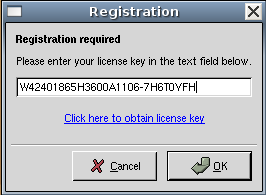
First time it will prompt for license key enter your license key you have got in our previous steps
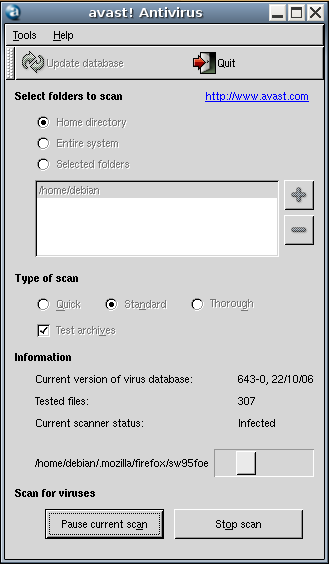
Avast Antivirus Interface

Avast Antivirus database is updating.If you want to update click on update database

You can select the virus scan here and click on start scan
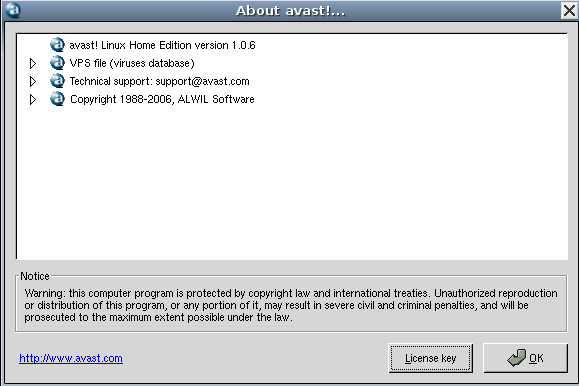
Avast antivirus version details

Found You By Mistake, While I Was Searching On Aol For
Something Else, Anyhow I Am Here Now And Would Just Like To Say Many Thanks For
A Remarkable Post And An All Round Entertaining Blog
I Don’t Have Time To Read It, All At The Moment But I Have BookMarked It
And Also Added In Your RSS Feeds, So When I Have Time I Will Be Back To Read More,
Please Do Keep Up The Fantastic Job. You can also check; error 126

Subscribe to Post Comments [Atom]
<< Home

Subscribe to Posts [Atom]