Monday, May 18, 2009
Installing Nero Linux 3 in ubuntu
http://www.nero.com/ena/downloads-linux3-trial.php
the just right click and install it with GDebi Package Installer
after installation just paste in the following serial key.
2CA0-0000-1800-2000-4002-6332-X45C
thats it.

GTK+ apps!
installing bitdefender on ubuntu 9.04
then
Put the bitdefender deb.run file on your desktop. Ensure that it is executable. (Easiest way - right-click > Properties > Permissions. Tick the 'Execute' box.) Open a terminal, and:
| Code: |
| cd Desktop sudo ./BitDefender-Antivirus-Scanner-7.6-4.linux-gcc4x.i586.deb.run |
Install Avast Antivirus in Ubuntu 64bit
- First off, install the ia32-libs package if it's not already installed.The ia32-libs package must be >= 2.2ubuntu18.Code:
sudo apt-get install ia32-libs
- Download the Avast debian package here and save it to your desktop. The instructions below assume that the avast package can be found on your desktop so it's important that you choose your desktop as the download location.
- After it's downloaded change to your desktop folder.Code:
cd /home/YourUserName/Desktop
- You need to make sure that all of the required libraries can be found in your /usr/lib32 folder. To help simplify this task I've created a libs package for avast and attached it to this post. Simply download the attachment and then type the following:Code:
sudo dpkg --force-architecture -i ia32-avast-libs.deb
- After the Avast package is installed make sure that all of the required libraries are installed. Type the following:Code:
ldd /usr/lib/avast4workstation/bin/avastgui
ldd /usr/lib/avast4workstation/bin/avast - Scroll through both lists and make sure that none of them say 'Not found'. As long as you didn't find any libraries listed as 'not found' then you should now be able to run Avast from your Applications menu.
- and then put the serial key as shown in the 32bit post
Install Avast Antivirus in Ubuntu 32bit
First you need to download the .deb package from here
wget http://files.avast.com/files/linux/avast4workstation_1.0.6-2_i386.deb
Now you have avast4workstation_1.0.6-2_i386.deb package.Install .deb package using the following command
sudo dpkg -i avast4workstation_1.0.6-2_i386.deb
This will complete the installation now you need to get the registration key for this you need to fill the on-line form available here and they will send registration key to your mail address
Applications Menu Setup
or this you need to run a script from the following location
cd /usr/lib/avast4workstation/share/avast/desktop
sudo ./install-desktop-entries.sh install
This will complete the application menu setup.
If you want to access you need to go to Applications—>Accessories—>avast!

First time it will prompt for license key enter your license key you have got in our previous steps
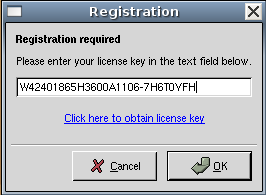
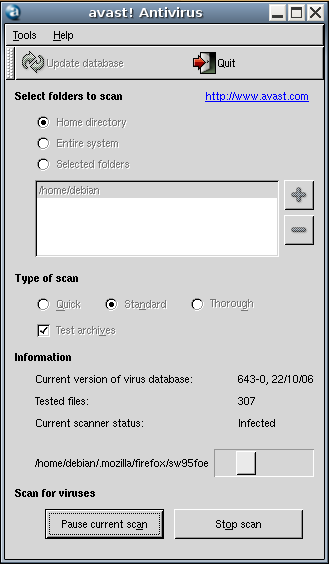
Avast Antivirus Interface

Avast Antivirus database is updating.If you want to update click on update database

You can select the virus scan here and click on start scan
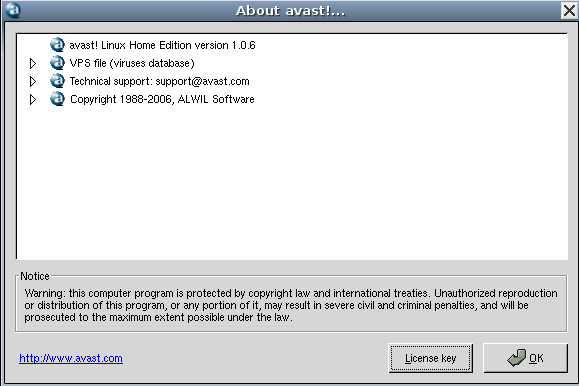
Avast antivirus version details

Subscribe to Posts [Atom]